

Introducing PPM360 Interproject Dependencies
PPM360’s Interproject Dependencies bring true program-level coordination to Planner Accelerator. Link upstream and downstream project tasks with either soft (snapshot) or hard (dynamic) connections, giving project managers flexibility in how schedules are aligned. Soft links provide a fixed reference point, while hard links help keep timelines synchronized as changes occur. When PPM360 interproject dependencies are …

Marque360 and The Judge Group Announce Strategic Partnership
Marque360 and The Judge Group Announce Strategic Partnership to Modernize Portfolio and Project Management Partnership unites technology expertise, skilled talent, and project delivery methodology to help enterprises transform portfolio and project management within the Microsoft ecosystem. Marque360, a Microsoft Work Management solutions partner, and The Judge Group, a leading professional services and staffing firm, …
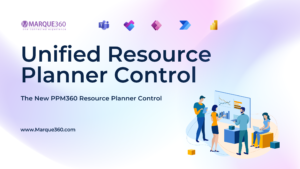
PPM360’s Unified Resource Planner Control
The new PPM360 Resource Planner Control brings together resource availability and engagement into a single interactive view. The control supports planning using a variety of time scales, complete with conditionally formatted heat map that instantly highlights resource overallocation. Resource Engagement When used in the context of the Resource Management Hub (the portfolio view), resource managers …

Marque360 Named a Finalist for the 2025 Microsoft Project & Portfolio Management Partner of the Year Award
Marque360 recognized among Microsoft’s top global partners for excellence in Project & Portfolio Management solutions. Marque360 today announced it has been named a Finalist for the 2025 Microsoft Project & Portfolio Management Partner of the Year Award. The company was recognized among a global field of leading Microsoft partners for demonstrating excellence in innovation, …

Project Online is Reaching End of Life
Here’s How to Prepare with Marque360 Microsoft has announced the end of life for Project Online, signaling the shift toward modern, cloud-based project management tools like the new Microsoft Planner (formerly Project for the Web). For organizations that have relied on Project Online for years, this transition might feel daunting but also timely to modernize …
Microsoft 365 Myth #1: Planner Is Just For Task Management
When most people hear “Microsoft Planner,” they picture a basic to-do list—something to jot down a few action items and check them off when done. We hear this all the time from organizations we work with. At first glance, Planner looks simple, maybe even too simple for real project management. But in our experience …
Why It’s Time to Embrace the New Microsoft Planner
If your organization is still using Microsoft Project Online, it’s time to start planning ahead. While Microsoft hasn’t announced an official retirement date, it’s clear that Project Online is no longer the focus of Microsoft’s development efforts. Instead, Microsoft is investing in a modern, streamlined project management experience built into the new Microsoft Planner. …

Transitioning from InfoPath and SharePoint Designer to Modern Solutions
If you oversee a long-standing SharePoint on-premises deployment, it is crucial to revisit the use of legacy tools, specifically InfoPath forms and SharePoint Designer workflows. While these tools were effective in their time, there are now many reasons to consider modernizing the solutions crafted with these tools. You can do so by re-engineering them using …

How Healthcare Companies Can Streamline Project Management with PPM360
In the ever-evolving world of healthcare, managing projects efficiently is more important than ever. Whether you’re rolling out a new patient care initiative, upgrading your facilities, or implementing new administrative processes, every project requires seamless coordination and strict compliance with industry regulations. Without the right tools, healthcare teams risk delays, miscommunication, and resource mismanagement—ultimately affecting …

Elevating Business Productivity with Microsoft 365
If your organization is a Microsoft 365 subscriber, you can do your best work anywhere. This cloud-based service offers a comprehensive, integrated toolset aimed at streamlining how you work. That’s good news for you – and good news for your customers, colleagues, and company, given the resulting increase in efficiency, insight, and productivity. What’s …

Getting Started with Microsoft Planner and Microsoft Teams: The Perfect Duo for Teamwork
Effective collaboration and task management are essential to any team’s success. When combined, Microsoft Planner and Microsoft Teams create a powerful duo that streamlines workflows, enhances communication, and keeps everyone on the same page. Whether you’re new to these tools or aiming to improve your current setup, this guide will walk you through how to …

Seamlessly Migrate from Project Online to Planner with Migrate360
Why Move to Planner? Moving to Microsoft Planner provides a modern, intuitive project management experience that enhances collaboration and productivity. Here are some key reasons to make the switch: Better Integration – Seamlessly connects with Microsoft 365 apps like Teams, Outlook, and SharePoint. Improved Collaboration – Enables real-time team collaboration with task assignments and progress …

New Baseline Updates in Microsoft Planner
What is a Baseline? A baseline is a recorded snapshot of the project schedule at a specific point in time. It serves as a crucial tool for assessing project performance and guiding informed decisions about progress. Essentially, a baseline provides a benchmark to compare actual performance against the original plan. What’s New with Baselines? Baselines …
